[sqit_breadcrumbs]

Microsoft continues to double down on user empowerment and data democratization with features like this.
Have you tried the new “Add columns from related tables” yet? What new insights did it help you unlock?

The update enables users to:
 Insert fields from related tables seamlessly Keep your analysis within one screen Choose the insertion point — either at the end or next to a selected column Analyze master and transactional data side-by-side
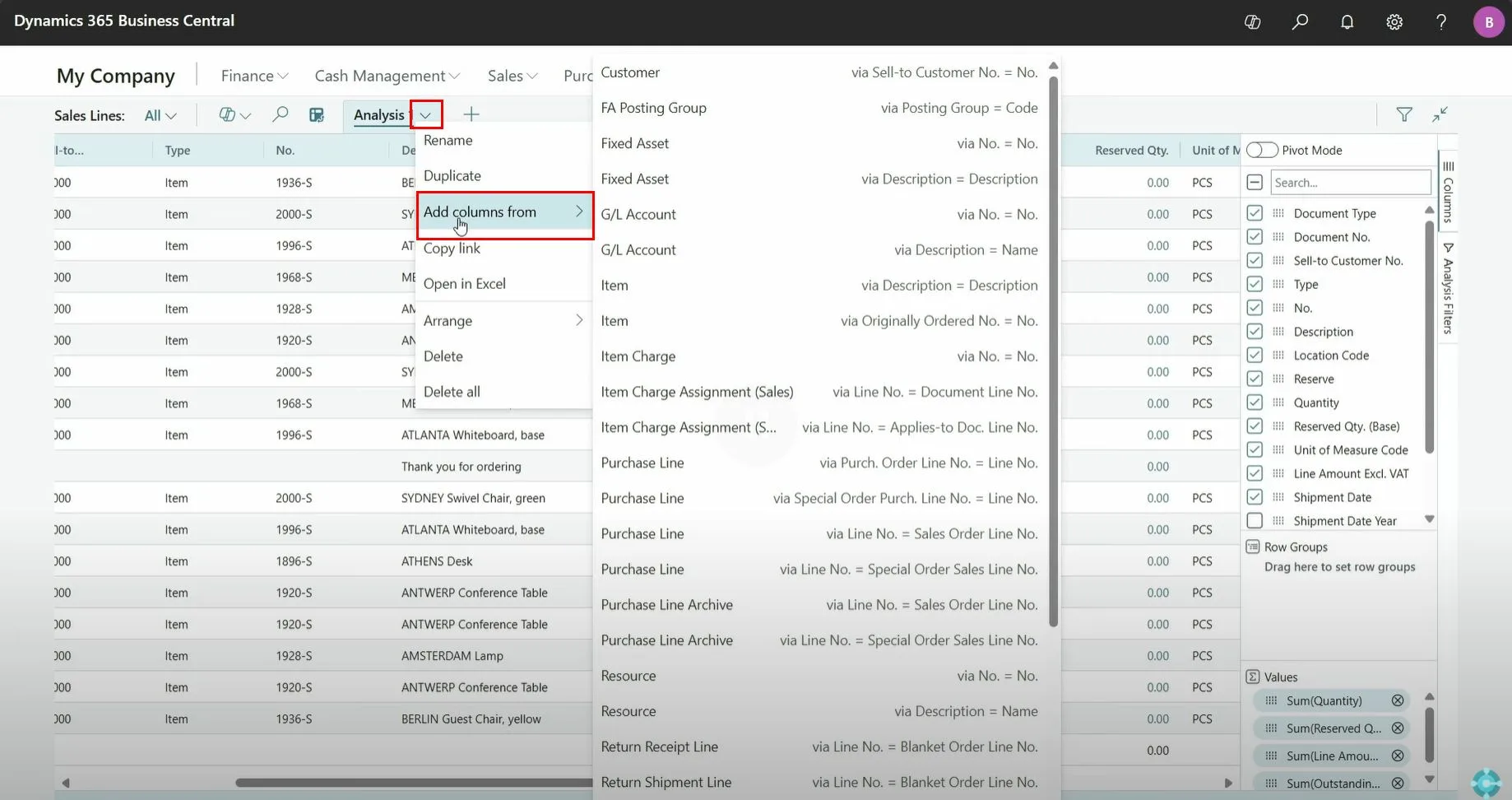
Simply click the drop-down arrow next to the Analysis View title, then select “Add columns from” to choose a related table.
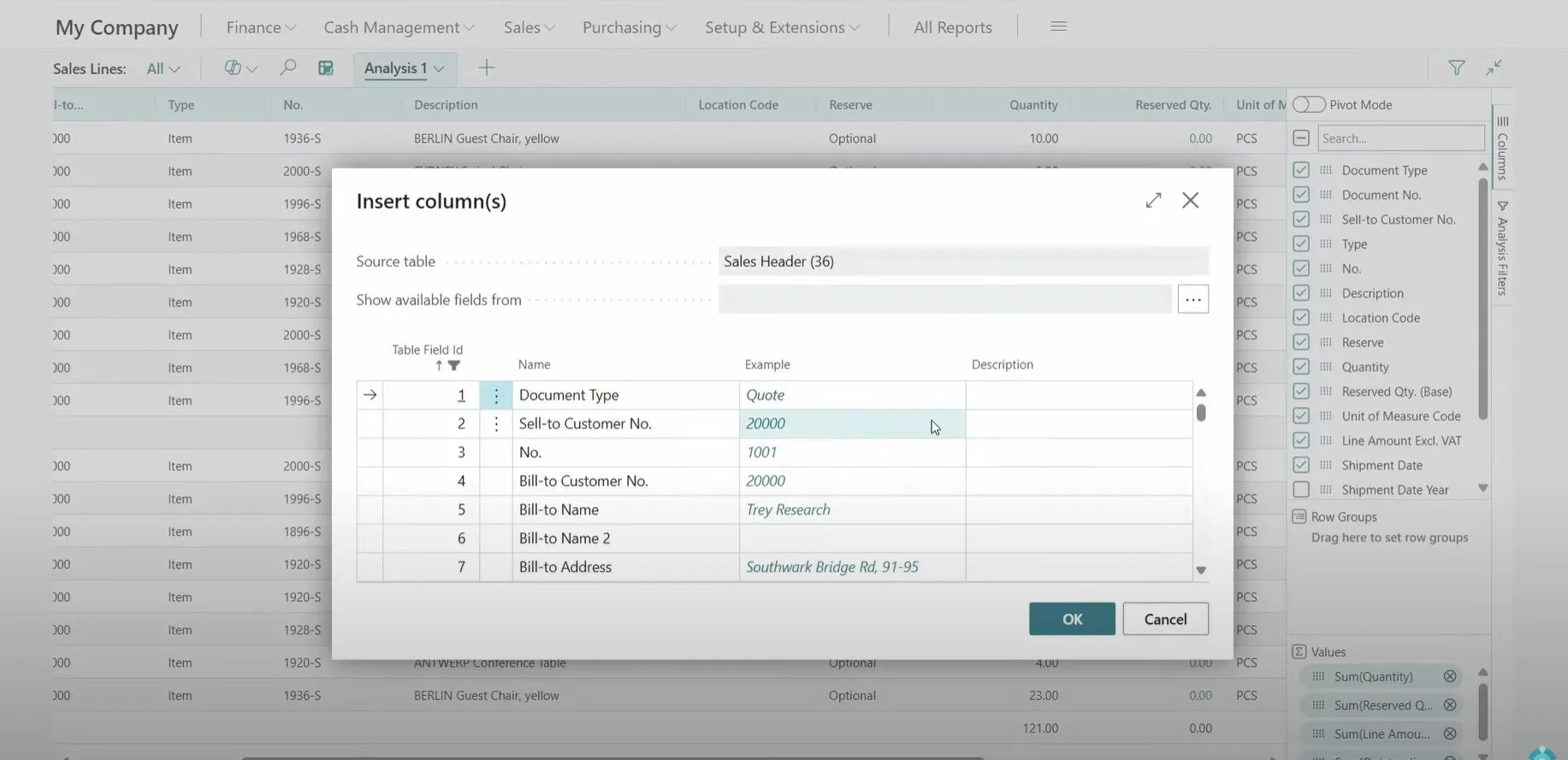
 After selecting the related table (e.g., Sales Header), you’ll be presented with a list of fields to add.
 Whether you’re tracking sales patterns, customer behaviors, or item-level performance, this feature is your new best friend.
Microsoft has released a helpful demo walking you through this enhancement: 
Want to see it in action? Microsoft’s official walkthrough video shows exactly how this feature works.
This isn’t just a UI tweak — it’s a data accessibility breakthrough for users who live inside Business Central.
 No need for dev help or custom reports
 More context in every analysis
 Smarter, faster decisions
 Export to Excel or continue slicing and dicing right inside BC
Microsoft continues to double down on user empowerment and data democratization with features like this.
Have you tried the new “Add columns from related tables” yet? What new insights did it help you unlock?