













Microsoft Power BI

Implementation Partner for Business in Dubai and UAE

Helping businesses across the UAE connect their data, build dashboards that update in real time, and give every team the information they need to make better decisions.

Microsoft Dynamics 365 Partner UAE | Microsoft Dynamics 365 Company

Trusted by

Microsoft Dynamics 365 Partner UAE | Microsoft Dynamics 365 Company

What is Power BI?

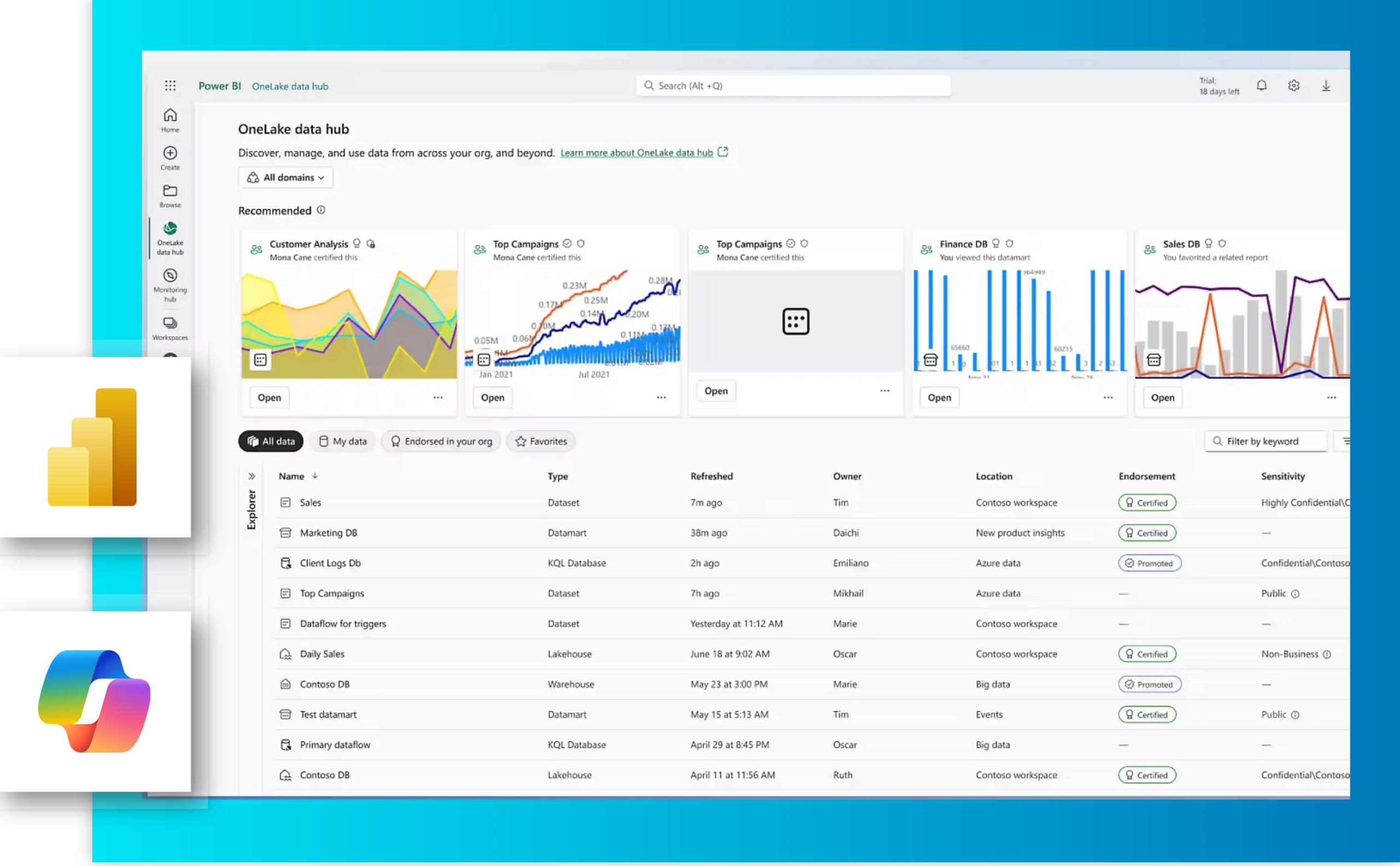
Microsoft Power BI is a cloud-based business intelligence platform that connects to your data sources and brings them into one place. It transforms raw data into visual dashboards and reports, available to everyone who needs them, on any device, updated in real time.

It connects natively with Microsoft 365, Dynamics 365, and hundreds of other data sources including non-Microsoft tools. So it works with what your business already has.

With more than half a decade of implementing Microsoft solutions across the UAE, SQIT helps businesses get Power BI set up and connected to the right data. We keep it running long after the initial setup is done.

How Power BI Supports Businesses

Here is what that looks like across each area of your business.

Microsoft Dynamics 365 Partner UAE | Microsoft Dynamics 365 Company

Financial Reporting and Close

Finance teams connect Power BI to their ERP or accounting system and replace the manual reporting process entirely. Reports update automatically so the close takes less time and the numbers are always current.

Sales Performance Tracking

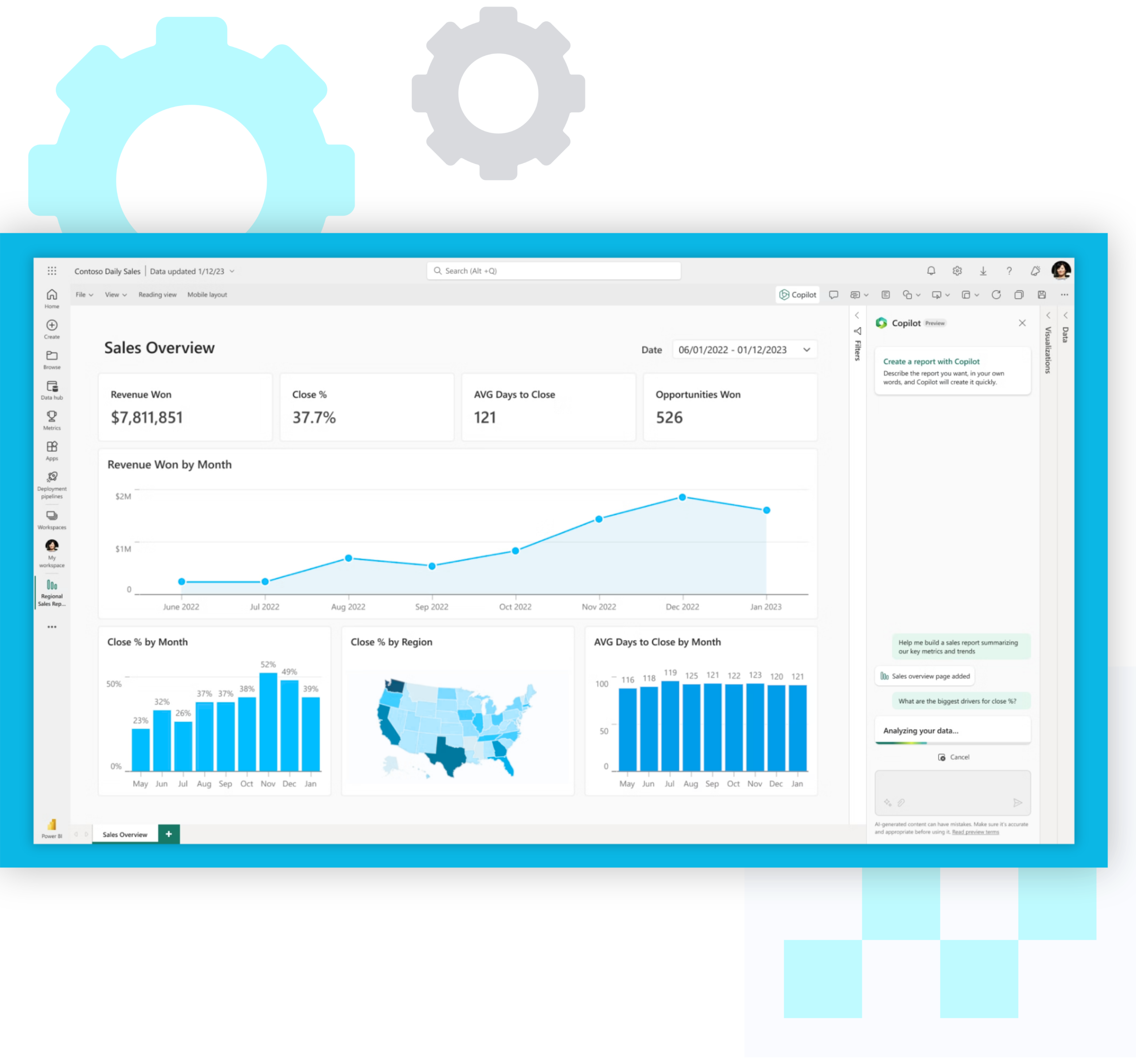
When a sales manager needs to know where the pipeline stands, they open a dashboard instead of asking someone to compile a report. Every deal, every target, and every team is visible in one place, updated as the data changes.

Operations and Supply Chain Visibility

Inventory levels, supplier performance, and order fulfilment data spread across multiple systems makes it hard to see the full picture. Power BI pulls it into one dashboard so operations teams always know what is happening across every location.

Executive Dashboards

Leadership gets a single view of how the business is performing across every department, updated in real time. The right people see the right numbers at the right time without anyone having to compile them.

Customer and Service Insights

Customer service and CRM data feeds into dashboards showing case volumes, resolution times, and satisfaction trends. Service managers see where the team is performing well and where it needs attention without pulling reports manually.

Project and Budget Tracking

Project managers track budget against actual spend, resource utilisation, and delivery timelines from one place. Stakeholders get a live view of progress without needing a status update meeting to find out where things stand.

What Microsoft Power BI
Actually Does

These are the capabilities that make Power BI more than just an analytics tool.

Microsoft Dynamics 365 Partner UAE | Microsoft Dynamics 365 Company

Connect to Any Data Source

Power BI connects to 160 plus data sources including Excel, SQL Server, Dynamics 365, Salesforce, and many others. Whether your data is on-premises or in the cloud, it pulls everything into one place so your teams stop working from different versions of the same numbers.

Microsoft Dynamics 365 Partner UAE | Microsoft Dynamics 365 Company

Turn Raw Data Into Clear Reports

Power BI cleans, merges, and transforms your data before it reaches the dashboard. What your teams see is accurate, consistent, and ready to act on without anyone having to prepare it manually first.

Microsoft Dynamics 365 Partner UAE | Microsoft Dynamics 365 Company

Interactive Dashboards and Visualisations

Charts, tables, maps, and custom visuals that your teams can filter, drill into, and explore on their own. Reports update automatically as your data changes so the picture is always current.

Microsoft Dynamics 365 Partner UAE | Microsoft Dynamics 365 Company

Copilot and AI

Anyone can ask questions about their data in plain language and get answers as visuals and summaries. Copilot identifies patterns, flags anomalies, and generates narrative summaries so the story behind the numbers is always clear.

Microsoft Dynamics 365 Partner UAE | Microsoft Dynamics 365 Company

Multi-device Access

Power BI works on desktop, browser, and mobile. Your teams get the same dashboards and reports whether they are in the office, working remotely, or on the go.

Microsoft Dynamics 365 Partner UAE | Microsoft Dynamics 365 Company

Share, collaborate and Embed

Reports can be shared with internal teams, embedded into other applications, or published to external stakeholders. Presentation ready reports embed directly into PowerPoint so data driven presentations take minutes not hours.

Microsoft Dynamics 365 Partner UAE | Microsoft Dynamics 365 Company

Data Governance and Security

Every user sees only the data relevant to their role, with permissions set at the report and dataset level. Audit trails track who accessed what and when, so sensitive data stays with the right people and your business stays in control of its information.

Microsoft Dynamics 365 Partner UAE | Microsoft Dynamics 365 Company

Scheduled and Automatic Refresh

Dashboards and reports update automatically on a schedule without anyone having to trigger it manually. Your teams always see current data when they open a report, not numbers from the last time someone remembered to refresh the file.

End to End, From the First
Conversation to Long After Go-Live

We cover every part of your Power BI journey in house. Implementation, support, training, and
everything in between, handled by our team in Dubai.

End-to-End Implementation and setup

We handle the full Power BI setup from connecting your data sources to building your reporting environment, with licensing guidance included so your team starts on the right plan.

Dashboard and Report Development

We build dashboards and reports specific to your business and the decisions your teams actually need to make.

Data Source Integration and Connectivity

We connect Power BI to the data sources your business already uses, whether that is Dynamics 365, an ERP, Excel files, or third-party applications.

Power BI Consulting and Advisory

Not sure where to start? We assess your current setup, understand what your teams need to see, and build a reporting strategy before any dashboard is built.

Power BI Migration

Moving from another BI tool or a complex Excel setup? We migrate your existing reports and data models into Power BI so your teams keep working through the transition.

Report Audit and Optimisation

Already have Power BI but it is not delivering what your teams need? We audit your existing setup, identify what needs fixing, and rebuild it properly.

What Business Central looks like in practice

Industrial workers inspecting heavy mechanical equipment at a Gulf Incon project site

How Gulf Incon automated its entire rental operation with a custom Dynamics 365 solution

Read More
Gulf Data Hub Dynamics 365 case study

How Gulf Data Hub automated intercompany consolidation with a custom Dynamics 365 solution

Read More
Construction engineers reviewing plans at Dutch Foundations

How Dutch Foundations unified multi-entity finance and compliance with a custom Dynamics 365 solution


Read More
Chef preparing food in a commercial kitchen for Harvey & Brockless

How Harvey & Brockless automated production and delivery tracking with a custom Dynamics 365 solution


Read More
JTC International Dynamics 365 case study

How JTC International moved from manual stock tracking to real-time inventory intelligence with Dynamics 365

Read More

Built to Adapt Across Industries

Every industry has different compliance requirements, reporting needs, and operational workflows. We configure Business Central around how your industry actually works.

Healthcare

Real Estate

Finance/Trading

Manufacturing

Education

Supply Chain

Construction

Technology

Implementation
Insights:
Frequently Asked
Questions

Microsoft Dynamics 365 Partner UAE | Microsoft Dynamics 365 Company

Power BI is Microsoft's business intelligence platform. If your team is spending time every week pulling data into Excel and building reports manually, Power BI replaces that process with dashboards that update automatically. Most businesses that come to us already know something needs to change, they just are not sure where to start.

No. We set up and configure Power BI around what your teams need to see. Business users read and interact with dashboards without needing any technical knowledge. Analysts and report builders get more advanced tools if they need them.

Power BI connects to over 160 data sources including Microsoft 365, Dynamics 365, Excel, SQL databases, Salesforce, and many others. If your data lives somewhere, there is a good chance Power BI can connect to it.

Yes. We offer a report audit and optimisation service for businesses that already have Power BI but are not getting the value from it. We look at what is there, identify what needs fixing, and rebuild it properly.

A straightforward setup with one or two data sources typically takes three to five weeks. More complex setups with multiple data sources, custom data models, and a large number of reports take longer. We give you a realistic timeline at the start.

Yes. Power BI connects natively to Dynamics 365. We handle the connection and make sure your ERP and CRM data feeds into dashboards that update automatically.

Yes. We are headquartered in Dubai and work with businesses across the UAE and GCC. Our team is local, which means you are not dealing with offshore support when something needs attention.

Yes. We work across the UAE including Abu Dhabi, Sharjah, and the Northern Emirates, as well as clients across the GCC region.

Ready to see what Microsoft Power BI can do for your team?

Schedule a call with one of our Power BI consultants.

Let's Discuss Your Business Needs

We will listen to how your business works, ask the questions that matter, and give you a clear picture of what implementation would look like for you.